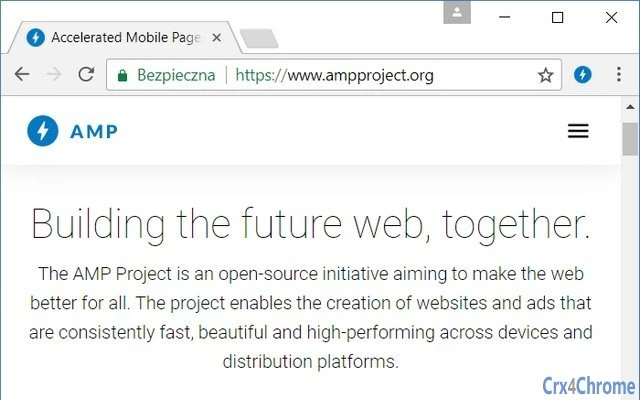

Accelerate Web Browsing with AMP
Overview
The AMP Browser Extension is designed to improve web browsing performance, particularly under slow or unstable network conditions. It leverages Accelerated Mobile Pages (AMP) and Mobile Instant Pages (MIP) to deliver faster-loading content, reducing wait times and enhancing user experience. The extension automatically prioritizes lightweight versions of web pages when available, offering a smoother browsing experience on constrained connections.
Target users include individuals seeking faster page loads, frequent travelers, remote workers, and anyone operating in low-bandwidth environments. The extension is especially useful for users who rely on Google Search, as it highlights AMP links directly in search results, enabling quick access to optimized content. It also supports data-saving functionality by sending a Save-Data header to websites, which can trigger reduced content delivery.
Developed by niutech, the extension operates independently of Google and is provided as-is without warranty. The source code is publicly available on GitHub, promoting transparency and community involvement. This makes it a suitable choice for privacy-conscious users and developers interested in open-source tools. Real-world usage scenarios include daily web research, content consumption on mobile networks, and efficient browsing during online meetings or video calls.
Key Features & Capabilities
- Automatic AMP/MIP Loading – The extension detects and loads AMP or MIP versions of web pages whenever available, significantly reducing load times on slow connections.
- One-Click Switching – Users can toggle between AMP and full web versions with a single click on the extension icon or via a keyboard shortcut, offering flexibility in content access.
- AMP Link Highlighting in Google Search – AMP-optimized results are visually distinguished in Google Search, helping users identify faster-loading pages at a glance.
- Google AMP Cache Integration – Content is fetched from Google’s AMP Cache, which can further accelerate delivery by serving pre-optimized and cached versions of pages.
- Data Reduction via Save-Data Header – The extension sends a Save-Data request header to websites, prompting them to serve lighter content and reduce data consumption.
- Custom Host Exclusions – Users can define specific domains to exclude from AMP processing, ensuring full functionality on sites that may not render correctly in AMP format.
- Synced Settings Across Devices – Extension options, including excluded hosts and feature preferences, are synchronized across devices, ensuring consistent behavior regardless of the browser or machine used.
These features collectively enhance browsing speed, reduce data usage, and improve reliability on unstable networks. For example, a user browsing news articles on a 3G connection can experience near-instant load times by accessing AMP versions. Similarly, a remote worker on a public Wi-Fi network can maintain productivity by minimizing page load delays.
User Interface, Workflow & Performance
The extension features a minimalistic interface accessible via a browser toolbar icon. The UI is clean and intuitive, allowing users to quickly identify whether an AMP version is available and switch between views with one click. Navigation is straightforward, with no complex menus or layered settings.
Workflow efficiency is high, as the extension operates automatically in the background while still giving users full control through simple interactions. The keyboard shortcut functionality adds convenience for power users who prefer quick toggling without reaching for the mouse.
Performance observations are based on general software behavior patterns. The extension is lightweight, with a file size of 1.2 MB, suggesting low memory footprint and minimal impact on browser performance. The developer did not specify resource usage details, but the small size and background operation imply efficient CPU and RAM usage. Stability is expected to be consistent, given the extension’s focused scope and open-source nature. No reported crashes or conflicts were noted in the provided information.
Compatibility & System Requirements
The AMP Browser Extension is compatible with major desktop browsers, including Chrome, Edge, Firefox, and Opera, across Windows, Mac, and Linux operating systems. This broad compatibility ensures accessibility for a wide range of users regardless of their preferred platform or browser.
The extension’s installation size is 1.2 MB, which is compact and suitable for systems with limited storage. The developer did not specify exact system requirements, such as minimum RAM or processor specifications. However, given its lightweight nature and browser-based architecture, it is expected to function on most modern desktop systems without issues.
Platform compatibility information is limited to the listed operating systems and browsers. No additional hardware or software dependencies were mentioned. Users should ensure their browser is up to date to maintain full functionality.
Pros and Cons
Pros
- Significantly faster page loading on slow connections
- Reduces data consumption through Save-Data header
- Supports multiple browsers and operating systems
- Customizable with host exclusions and synced settings
- Open-source with transparent development
- Lightweight and low resource usage
- Easy-to-use interface with keyboard shortcuts
Cons
- Not affiliated with Google, despite using AMP technology
- AMP availability depends on website support
- Limited to web browsing acceleration, no additional features
- No official technical support or warranty
- Settings synchronization relies on user account setup
FAQ Section
Is the AMP Browser Extension compatible with my browser?
The extension supports Chrome, Edge, Firefox, and Opera on Windows, Mac, and Linux. Users should verify their browser version is up to date for optimal compatibility.
Can I use this extension offline?
The extension requires an active internet connection to load AMP content from Google AMP Cache or websites. It cannot function fully offline.
Is the extension safe to use?
Yes, the extension is open-source and available on public platforms. The developer states it is provided as-is without warranty. Users are advised to review the source code if security is a concern.
How do I update the extension?
Updates are automatically managed by the browser’s extension store. Users should ensure auto-updates are enabled to receive the latest version.
Does the extension work with all websites?
No. AMP availability depends on whether a website supports Accelerated Mobile Pages. Some sites may not offer AMP versions, and others may not render correctly in AMP format, which can be excluded manually.
Final Thoughts + CTA
The AMP Browser Extension delivers a focused, efficient solution for users facing slow or unstable internet connections. Its ability to leverage AMP and MIP formats, reduce data usage, and integrate seamlessly across devices makes it a valuable tool for everyday browsing. The open-source model adds trust and transparency, while the lightweight design ensures minimal impact on system performance.
While it is not affiliated with Google and has limitations based on website support, its core functionality is reliable and well-executed. Professionals, remote workers, and mobile users will benefit most from its speed and data-saving capabilities.
Download AMP Browser Extension now







